TUNE ProAutotune and pitch correction for vocals, with every control.
Licence by email. No iLok. Two computers. Same installer as free TUNE, so your sessions carry over.
Hear what Pro adds
White Flag by CODA, from the catalog, through TUNE Pro. Press play and switch while it runs.
sungTranspose +12
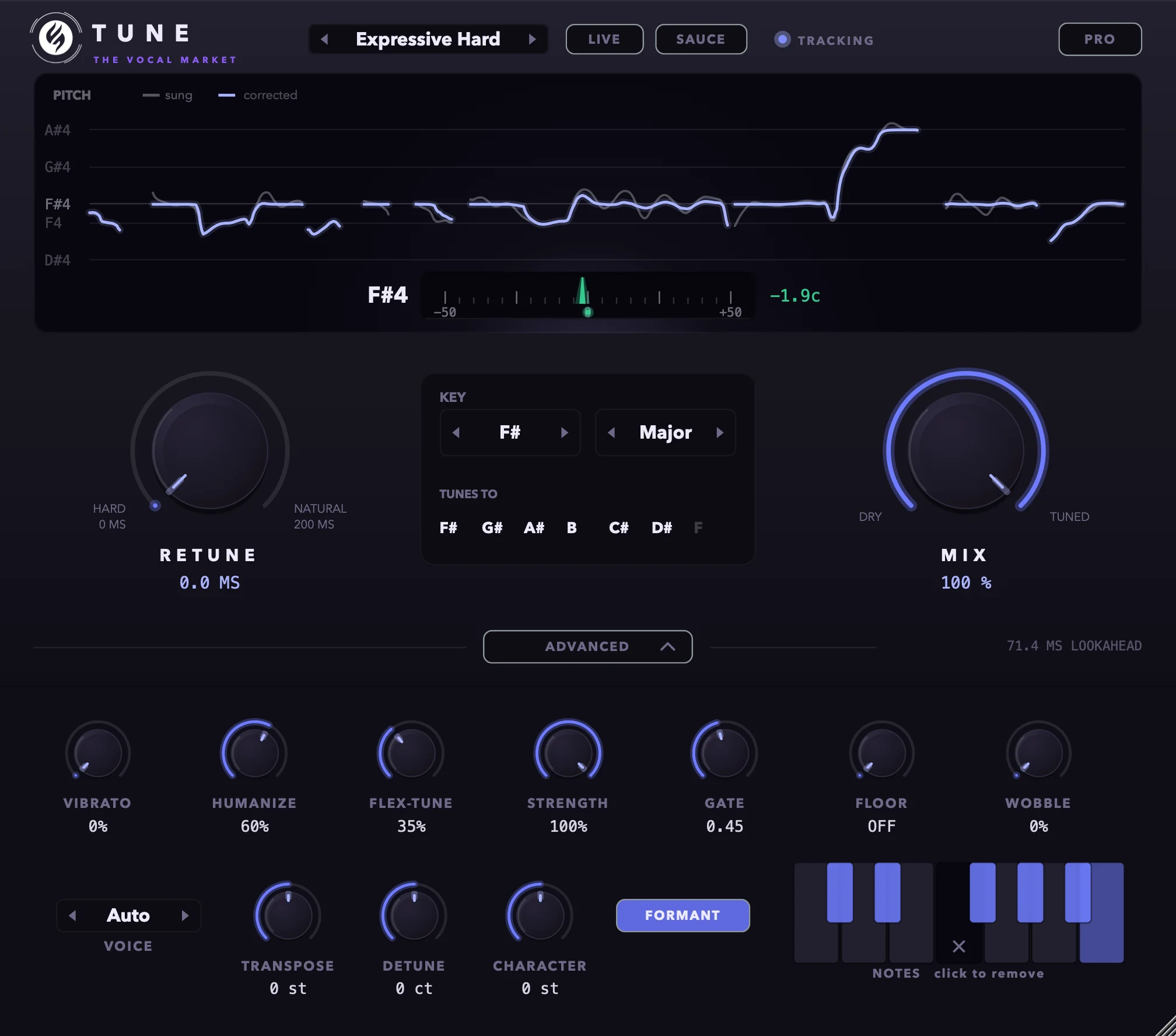
Hard Tune, then Transpose +12: the same take an octave up, every note still on F# major.
White Flag by CODA is on The Vocal Market. Rendered through TUNE Pro, no other processing.
What Pro lets you do
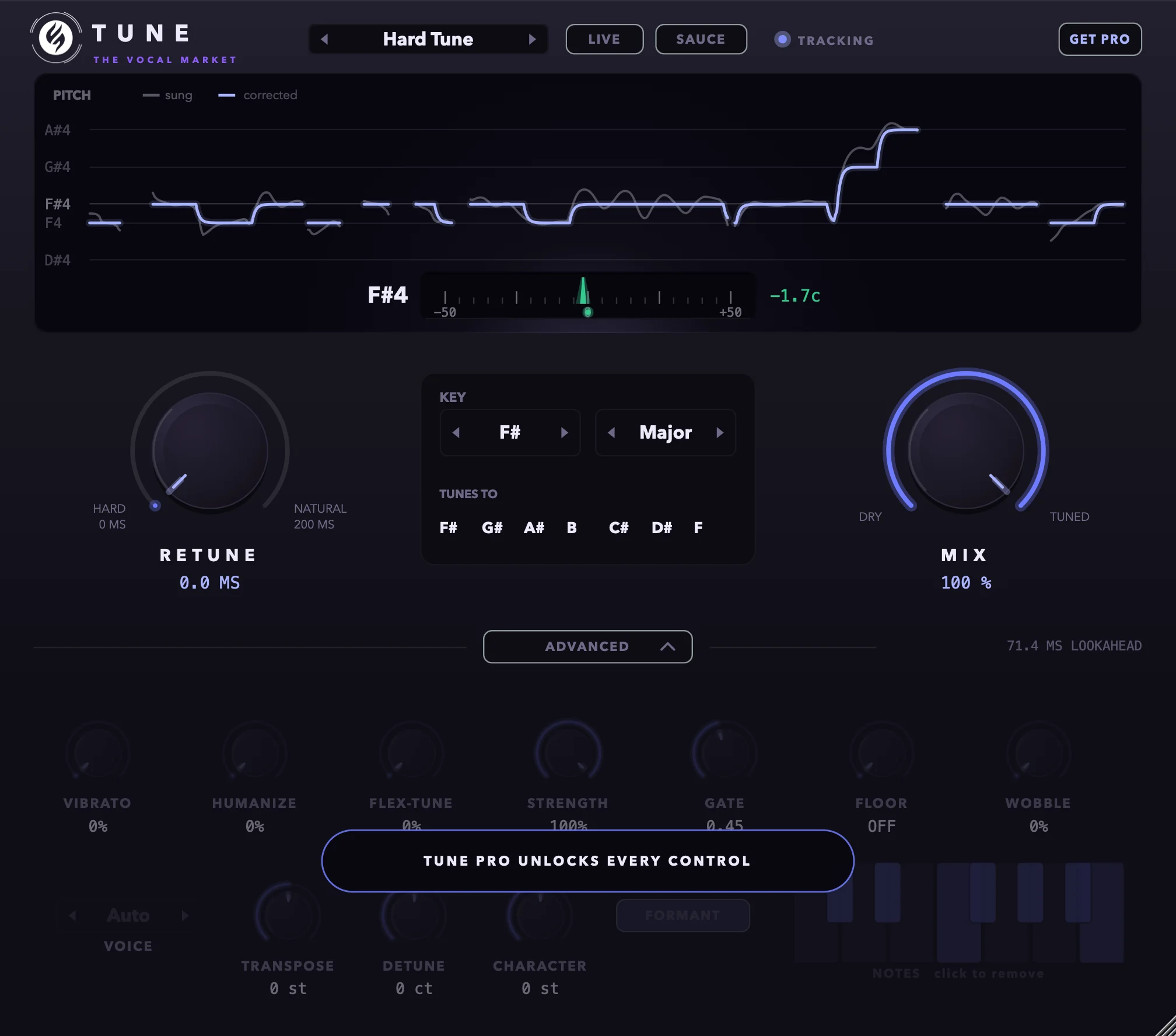
Free TUNE's finer controls follow the preset. Pro opens the Advanced drawer so you set them yourself.
- Put the hook up an octave and keep every note in key
- Keep the vibrato on a hard-tuned vocal
- Make a voice deeper or lighter without moving a note
- Take one note out of the scale on the keyboard
Free autotune, or TUNE Pro
They sound the same. Free has the whole correction engine, LIVE, formant preservation and seven of the eight presets. Pro opens the Advanced drawer under the main panel, so you can set every control yourself.
| Feature | TUNEFree | TUNE Pro€ 29,00 |
|---|---|---|
| Sound quality | Same | Same |
| Retune, Mix, key and scale | ||
| Formant preservation | ||
| LIVE mode | ||
| SAUCE | ||
| Presets | 7 of 8 | All 8 |
| Time limit or audio dropouts | None | None |
| Vibrato, Humanize, Flex-Tune, Strength, Gate, Floor | Follow the preset | Set them yourself |
| Transpose, Detune, Character | ||
| Note keyboard | ||
| Wobble, voice type |
It leaves the vibrato alone
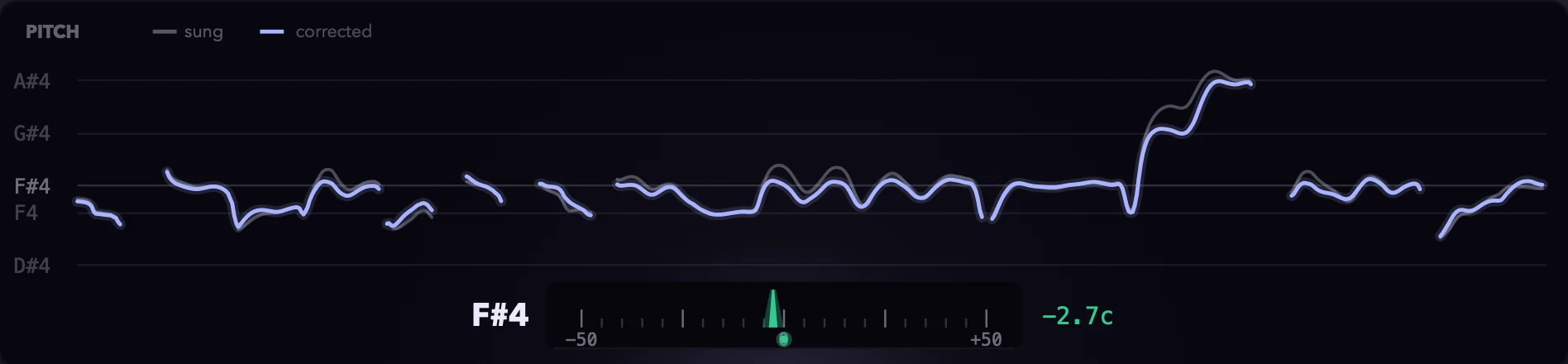
Vibrato is usually the first thing a tuner ruins. Correct it note by note and it turns into a wobble that sounds like a machine trying to keep up.
TUNE works out the note underneath the vibrato and corrects that, so on Natural the vibrato comes through the way it was sung. Want it gone? Hard Tune flattens it.
The singer still sounds like the singer
Push a note up with a basic pitch shifter and the voice gets a bit smaller, like someone younger sang it. TUNE keeps the formants where they were, so a corrected note sounds like the same person hit it. That's in the free version too.
S's and breaths go straight through
TUNE only works on the parts of the voice that have a pitch. S's, T's and breaths pass through as they were recorded, so you don't get lisps or zipper noise on the consonants.
And the rest
It uses about 1% of one CPU core, so put it on every vocal in the session. The bounce is identical to what you heard in real time, at any buffer size. Presets never touch your key and scale. And the window resizes from 75% to 200%, for when you're working on a laptop.
Record through the autotune with LIVE
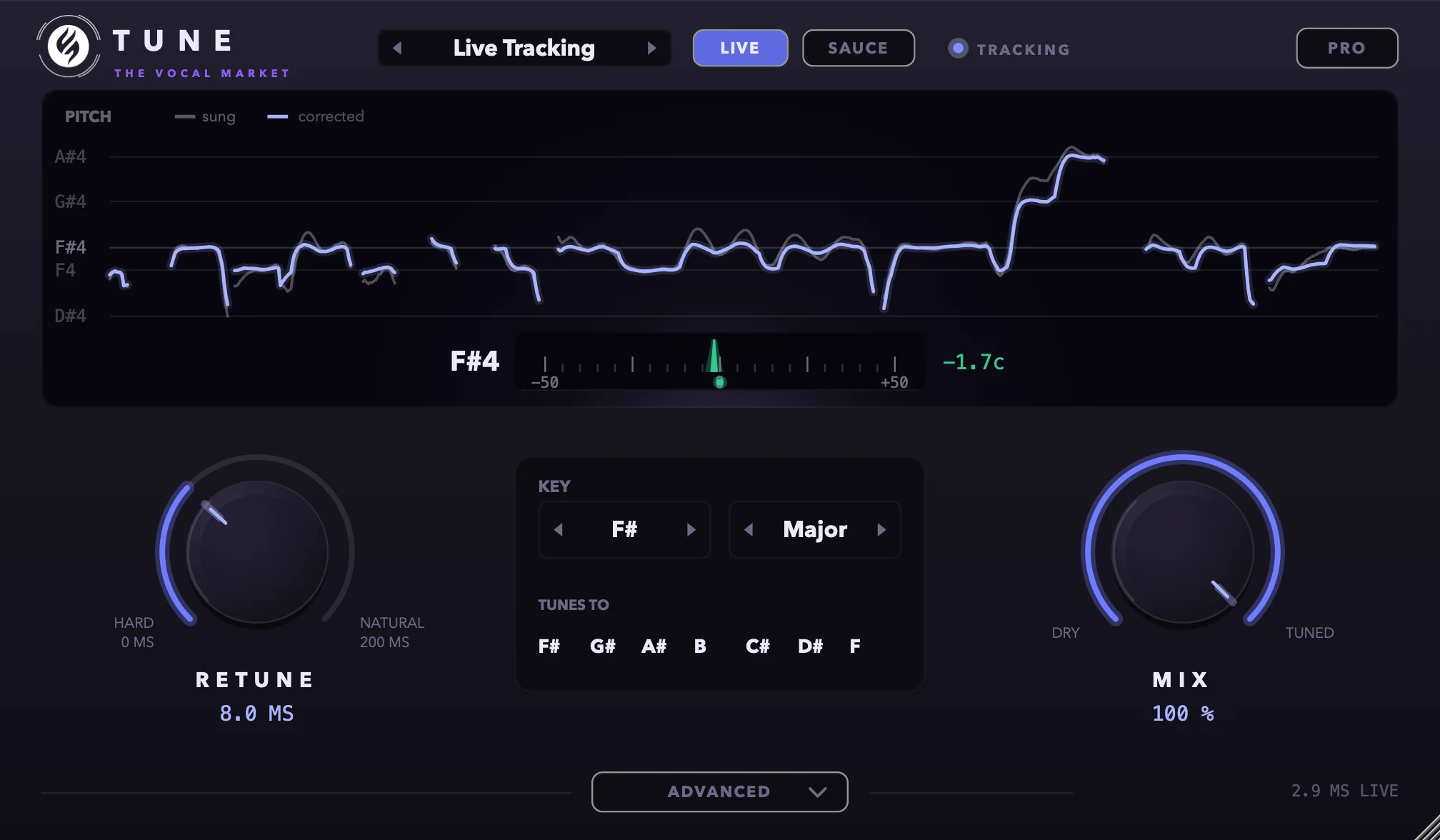
For the cleanest result, TUNE normally listens a little under 80 ms ahead in the audio. That's fine when you're mixing. A singer tracking through it would hear themselves late.
Press LIVE and it drops to about 3 ms. That's under the 5 ms Logic allows in Low Latency Mode, so TUNE keeps running while you record. When the take is done, switch LIVE off and it goes back to the full look-ahead.
LIVE is in the free version.
SAUCE: the hard autotune sound
For when the tuning should be the sound. Press SAUCE and TUNE goes as hard as it can: every note snaps instantly, the vibrato is flattened and every scoop and slide turns into a step. It overrides anything the preset would have softened, so you get the same hard autotune sound on any vocal, from any preset.
It sits on top of whatever preset you're on and works with LIVE, so a rapper can hear it while they record. It saves with the session and you can automate it: on for the hook, off for the verses.
SAUCE is in the free version.
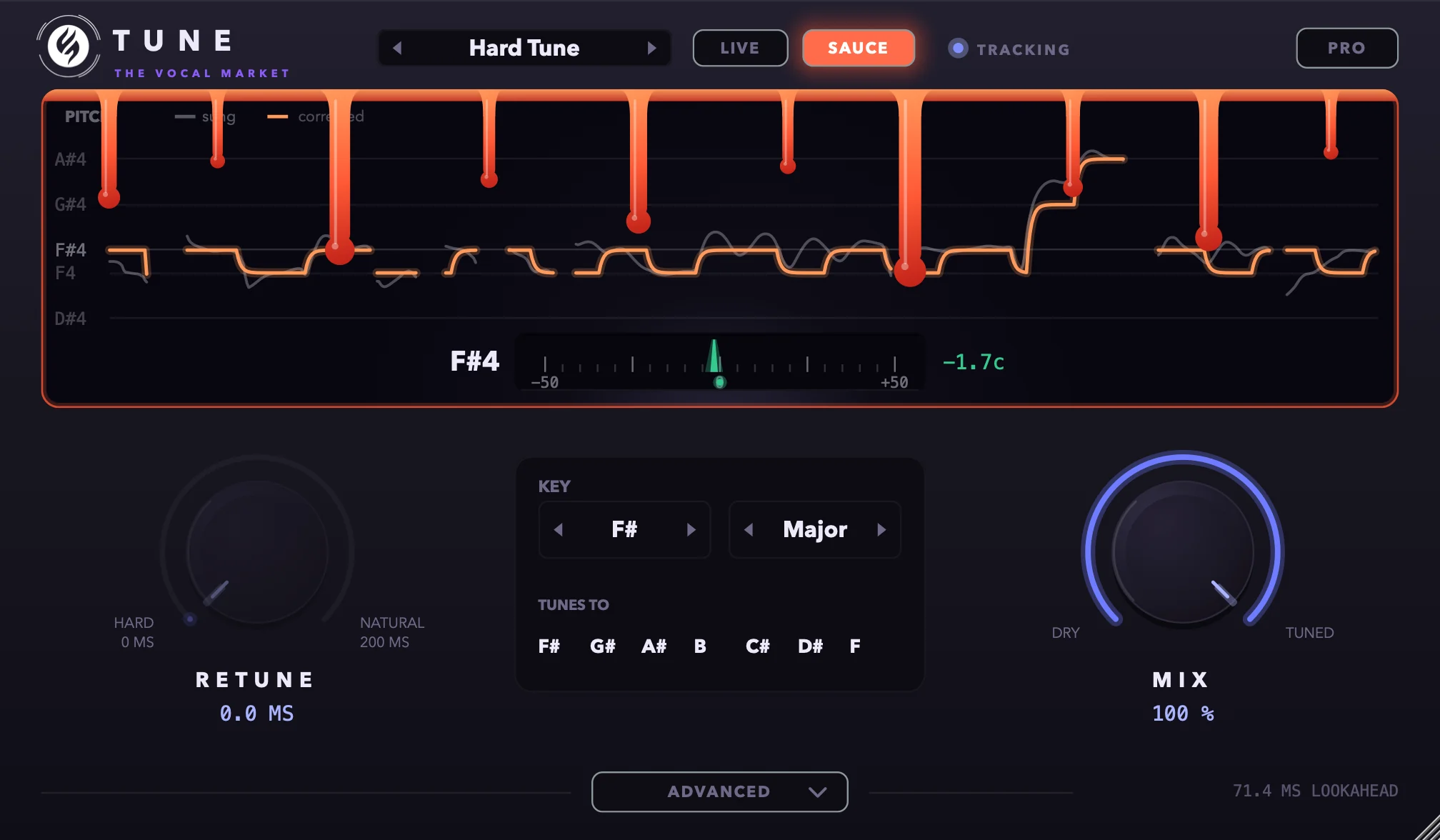
Eight presets
Named after what they're for. A preset isn't a different sound engine: it sets Retune, how much vibrato survives, the strength and the gate, in free TUNE as much as in Pro. Modern Pop keeps about half your vibrato in both. The difference is that free TUNE's finer controls follow the preset, and Pro lets you move them yourself.
Your key and scale stay put when you switch, so you can step through them with the arrows while the vocal plays. Open the preset menu in the plugin and each one says what it does.
- Natural
- Tightens the notes, leaves the vibrato. Start here.
- Retune 42 ms, all of the vibrato kept.
- Hard Tune
- Instant snap, vibrato flattened. The effect you know.
- Retune 0 ms, vibrato flattened.
- Modern Pop
- Fast and tight, with some of the vibrato left in.
- Retune 12 ms, about half the vibrato kept.
- Gentle Polish
- For takes that are nearly there already.
- Retune 70 ms, correction at 70% strength.
- Live Tracking
- LIVE switched on, for recording through it.
- LIVE on, Retune 8 ms, some vibrato kept, noise floor at -60 dB.
- Expressive Hard
- Snaps the short notes, lets the long ones breathe.
- Hard Tune with Humanize 60% and Flex-Tune 35%.
- Parallel Blend
- Hard Tune at half mix, under the dry vocal.
- Hard Tune at 50% mix.
- Wobble Trill
- The hard-tuned trill between two notes. Pro only.
- Hard Tune with Wobble at 70%.
Getting it
- 1Add TUNE to your cart and check out. It's €0 and doesn't ask for a card. Pro is a normal checkout.
- 2The installer for Mac or Windows is in your account, under Plugin downloads.
- 3Put TUNE on the vocal. For Pro, drop the licence file from your email onto TUNE once.
Specs
- Formats
- AU and VST3 on Mac, VST3 on Windows
- Mac
- macOS 10.13 or later, Apple silicon and Intel
- Windows
- Windows 10 or later, 64-bit
- Works in
- Logic Pro, Ableton Live, FL Studio, Cubase, Studio One, Reaper, Bitwig, GarageBand
- Not supported
- Pro Tools (AAX)
- CPU
- About 1% of one core per instance
- Pro licence
- A licence file for two computers. Activates online once, then works offline. No iLok.